
 Create
Educaplay now works in ChatGPT, Gemini, and Claude: Ask for the game without leaving the chat
Connect your account once and ask for the game in the chat where you already plan your lessons: Your assistant builds it and publishes it when you say so
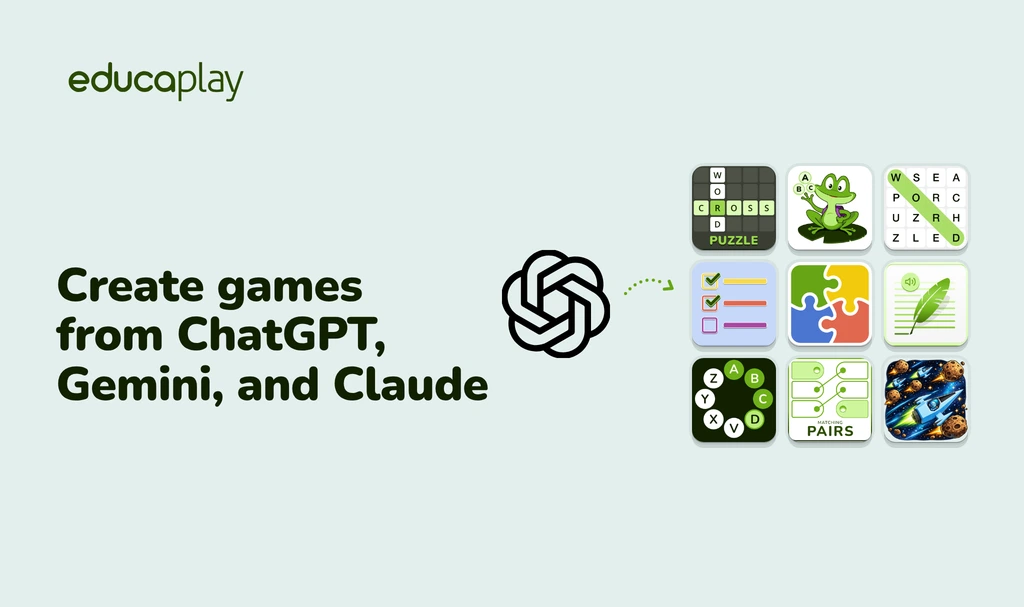
You’ve spent a while in ChatGPT planning your water cycle lesson. You gave it your notes, told it the class is ten-year-olds, and mentioned that condensation trips them up. Now you type “Turn this into a crossword.” And ChatGPT hands you back the crossword, with clues pitched at their level. Say “publish it” and the link is ready.
Educaplay, the platform for creating educational games, now works inside ChatGPT, Gemini, and Claude, so the assistant you already plan with becomes a quiz and game maker for your class. You connect your account once and ask for the game right there. Your assistant builds it from what you’ve already told it, publishes it when you say so, and hands you the link for your students.
From the chat in any of the three, you can create 20 of Educaplay’s 21 game types, add images and audio, and publish them, on any plan, including the free one. The connection runs through the Educaplay MCP server (Model Context Protocol, the standard these assistants use to connect to other apps), and the steps for each assistant are in the Support Center.
Ask where you already plan your lessons
If you use ChatGPT to plan lessons (or Gemini, or Claude), you know what comes next: you copy the good bits, open another tab and paste them into some other tool, one question at a time. That step is gone.
Your assistant already knows the topic, the level and where your students struggle, because you told it. So one sentence is enough:
- “Turn this into a crossword.”
- “Now a 10-question quiz on the same thing, for Friday’s review.”
- “Add an image to each question.”
- “Publish it and give me the link.”
Every request creates or changes a real game in your account. No text left over for you to clean up and retype.
A ChatGPT quiz maker and more: 20 game types
Your assistant can create any Educaplay game except the Map Quiz: Quiz, Crossword Puzzle, Word Search Puzzle, Froggy Jumps, AsterQuiz, Fill in the Blanks, Matching Pairs, Dictation, Dialogue, Video Quiz, Jigsaw Puzzle… And it finishes the job:
- Images: it searches Educaplay’s image bank or a photo library and places them where you say.
- Audio: it generates the voice for dictations and dialogues, with the same text-to-speech as the editor.
- Video: paste a YouTube link and it builds a Video Quiz.
- Classification: it fills in language, age and subject, and adjusts the game options.
It works on the games you already have, too: “Show me my latest games,” “Fix question 3 in the fractions quiz,” “Unpublish the rivers one.”
You decide when it goes live
New games stay unpublished until you ask. When you say “publish it,” the assistant checks what’s missing (a title, the description, the classification) and tells you first. And the first time it uses each tool, it asks for your permission.
When it publishes, you get the link to share wherever you like. And since it’s a regular Educaplay game, if you ever want to tweak something by hand, it’s in My games.
How to connect it in ChatGPT, Gemini, or Claude
It’s three steps in all three: add Educaplay in the assistant, sign in to Educaplay and click Authorize. The authorization lasts a year, so you don’t repeat it in every conversation. What changes is the way in:
- ChatGPT: Educaplay is in the plugin directory. Open its page, click Install plugin and authorize. Then start your request with “Educaplay,” or just ask. ChatGPT steps.
- Gemini: you add it as a custom app by pasting the address of the Educaplay server. Google limits custom apps to personal Google accounts (not school accounts) in the US, with the interface in English. Then type @Educaplay at the start of your message. Gemini steps.
- Claude: you add it as a custom connector, with a link that fills in the form for you. Claude’s free plan allows one custom connector. Claude steps.
Your students don’t need any AI
Nothing changes for them. They play from the link, from Google Classroom, Microsoft Teams or your LMS, like any Educaplay game. No ChatGPT, Gemini or Claude account, and nothing to install.
On every plan, and Ray is still there
It works with every Educaplay plan, including the free Basic plan. Your assistant writes the game with its own AI. From your plan it only uses what the editor would: classifying the game or describing images uses your Ray budget, and audio uses your audio quota.
And Ray? Still inside the editor, with nothing to connect. Ray is the shortcut when you start in Educaplay; your assistant, when the lesson is already half-built in another chat. Either way you end up with the same thing: a game in your account that you edit and share as usual.
Try it in your next lesson
Open the conversation where you planned your last unit, connect Educaplay and type “Make a game out of this.” Pick your assistant:
Install Educaplay from the ChatGPT plugin directory, sign in to Educaplay and click Authorize. Then ask in the chat, for example: “Create a 10-question quiz about the water cycle for 10-year-olds.” When you ask it to publish, it gives you the link for your students.
Yes. The games are created in your Educaplay account, even though you don’t need to open it to share them. If you don’t have one, you can create it for free when you authorize.
In Claude, yes: the free plan allows one custom connector. In Gemini, what matters is the account (a personal Google account, in the US and in English), not the plan. In ChatGPT, a free account worked fine in our tests, although OpenAI notes that plugin availability depends on the plan, the region and the workspace.
No. Google only lets personal Google accounts add custom apps to Gemini. If your school uses Google Workspace, try ChatGPT or Claude, or connect Gemini with your personal account.
No. They play by link, from Google Classroom, Microsoft Teams or your LMS, like any Educaplay game, with no account on any assistant.
20 of Educaplay’s 21 types: all except the Map Quiz, which you still create in the editor.
In Educaplay, go to your profile settings, under Application tokens, and click Revoke on the assistant’s connection: it loses access to your account. You can also remove it from the assistant itself.
ChatGPT, Gemini and Claude are trademarks of OpenAI, Google LLC and Anthropic, PBC, respectively. Educaplay’s integration with these assistants is not sponsored or endorsed by those companies.