
 Create
 Customize your games’ font: pick from 50+ typefaces or upload your own
Try the accessible OpenDyslexic font for free: Apply it to one game or all at once
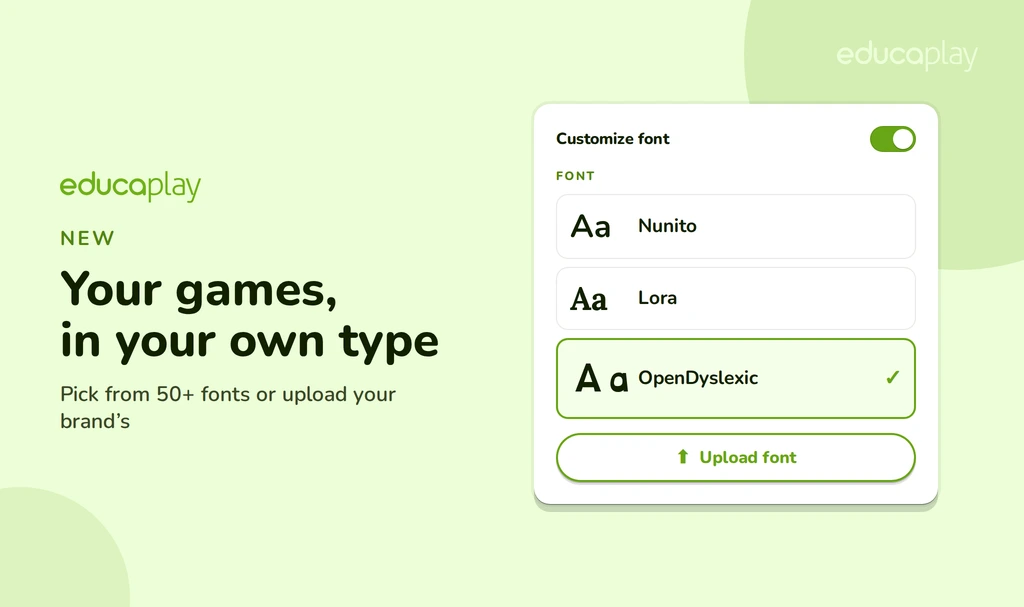
You can now customize the font of your games. The texts in your activities can wear your own type: pick from more than 50 fonts or upload your brand’s. And not just in one game: you can set it as your default and apply it in one go to all the games you already have.
Over 50 fonts, one click away
Turn on Customize font and open the dropdown: you have more than 50 typefaces ready to use. Try the one that best fits your topic or your brand and you’ll see the change instantly across every text in the activity.
Upload your own font
Does your brand have a specific font? Upload it. Click Upload font and load your TTF, OTF, WOFF or WOFF2 file. The font is stored in your account, so you can reuse it in any game without uploading it again, and you can delete it from the dropdown itself whenever you want.
Accessibility for everyone, at no extra cost
Accessibility shouldn’t cost more. That’s why OpenDyslexic —the typeface designed to make reading easier for people with dyslexia— is available to everyone, including the free Basic plan. Turn it on in your games at no cost and help your activities reach all your students.
One game… or all of them at once
There are two ways to apply your font:
- In one game: in its editor, go to Advanced options → Game design and choose the font.
- In all of them at once: go to Customize games, set your font, click Save and choose Change created games with the Font checkbox ticked.
In a single step, your whole collection with the same type.
Your brand, end to end
The font is one of the corporate-image options of the Commercial plan, together with your colors, your logo, the corporate footer and the option to hide the Educaplay identity. Together, they make your games look 100% yours.
Give your games your own type!
Choose your font, or upload your brand’s, and give your activities a professional, consistent finish.
In the game’s editor, under Advanced options → Game design, turn on Customize font and pick the one you want.
Yes. Click Upload font and load your TTF, OTF, WOFF or WOFF2 file. It’s stored in your account so you can reuse it in any game.
Yes: OpenDyslexic, designed to make reading easier for people with dyslexia. And it’s available to everyone, including the free Basic plan.
Choosing from the 50+ fonts and uploading your own is part of the Commercial plan. OpenDyslexic, however, is available to everyone, including the free Basic plan: accessibility shouldn’t cost more.